25 Free AI Tools Every Student Should Use in 2026
Artificial Intelligence (AI) has transformed the way students learn, complete assignments, prepare presentations, conduct research, and manage their daily academic tasks. Today, students no longer have to spend hours searching for information or struggling with difficult concepts. With the help of free AI tools, studying has become faster, smarter, and more efficient.
Whether you are a school student, college learner, university researcher, or preparing for competitive exams, these AI tools can save time, improve productivity, and help you learn more effectively.
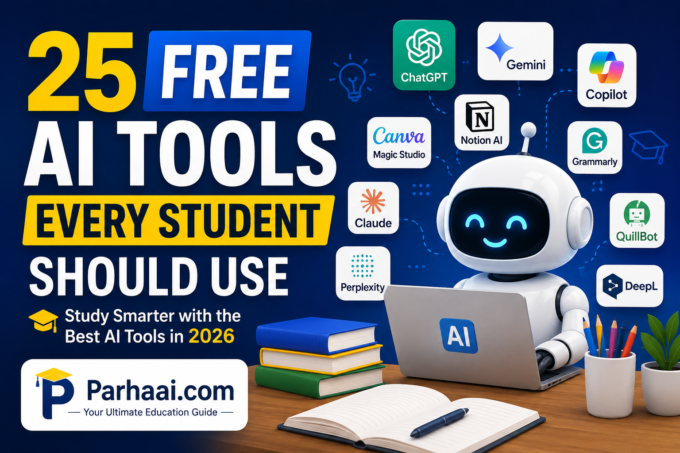
In this guide, we have compiled 25 of the best free AI tools every student should use in 2026.
Why Should Students Use AI Tools?
AI tools can help students:
- Save study time
- Understand difficult concepts
- Write assignments
- Improve grammar
- Generate presentations
- Solve math problems
- Learn programming
- Summarize lengthy notes
- Translate languages
- Prepare for exams
Remember: AI should be used as a learning assistant—not as a replacement for your own understanding or your institution’s academic integrity rules.
- ChatGPT
Best For: Homework help, explanations, brainstorming, writing assistance
ChatGPT can explain complex topics in simple language, create study plans, generate practice questions, summarize chapters, and assist with coding.
Free Features:
- Homework assistance
- Essay drafting
- Exam preparation
- Coding help
- Language learning
- Google Gemini
Best For: Research and academic writing
Gemini integrates with Google’s ecosystem and is useful for summarizing information, generating ideas, and answering research questions.
- Microsoft Copilot
Best For: Microsoft Office users
Copilot helps create Word documents, PowerPoint presentations, Excel formulas, and research summaries.
- Claude
Best For: Reading long documents
Claude is excellent for analyzing PDFs, lengthy articles, and research papers while producing concise summaries.
- Perplexity AI
Best For: Research with cited sources
Unlike traditional chatbots, Perplexity provides answers with references, making it helpful for academic research.
- Canva Magic Studio
Best For: Graphic design
Students can create:
- Presentations
- Posters
- Certificates
- Social media graphics
- Infographics
without advanced design skills.
- Gamma AI
Best For: AI presentations
Gamma automatically creates professional presentations from a simple prompt.
- Tome AI
Best For: Storytelling presentations
Useful for class presentations, projects, and reports.
- Notion AI
Best For: Note organization
Notion AI helps students:
- Organize notes
- Create to-do lists
- Summarize lectures
- Plan projects
- Grammarly
Best For: Grammar correction
It improves:
- Grammar
- Vocabulary
- Sentence structure
- Clarity
- Tone
- QuillBot
Best For: Paraphrasing
Students use QuillBot to rewrite content, improve readability, and check grammar while maintaining originality.
- DeepL Translator
Best For: Language translation
DeepL provides natural translations and is useful for multilingual learners.
- Google NotebookLM
Best For: Learning from your own documents
Upload class notes, PDFs, or lecture materials and ask questions based on your own study resources.
- Otter.ai
Best For: Lecture transcription
Otter converts spoken lectures into searchable notes.
- ElevenLabs
Best For: Text-to-speech
Students can listen to study material instead of reading continuously.
- Wolfram Alpha
Best For: Mathematics
Excellent for:
- Algebra
- Calculus
- Statistics
- Physics
- Engineering
- Photomath
Best For: Solving math problems
Simply scan a math question to receive step-by-step explanations.
- Khanmigo
Best For: Guided learning
Powered by AI, Khanmigo encourages students to think through problems instead of simply providing answers.
- GitHub Copilot
Best For: Programming students
It helps write code, explain errors, suggest improvements, and speed up software development.
- Codeium
Best For: Free coding assistance
A strong free alternative for code completion and programming support.
- Poe
Best For: Accessing multiple AI models
Students can compare responses from different AI assistants in one place.
- Elicit
Best For: Research papers
Elicit helps students find academic papers, summarize evidence, and organize literature reviews.
- SciSpace
Best For: Understanding research papers
It explains difficult scientific papers in simple language.
- Miro AI
Best For: Brainstorming
Create:
- Mind maps
- Project plans
- Flowcharts
- Team collaboration boards
- Adobe Express AI
Best For: Posters and social media
Students can create attractive graphics, banners, flyers, and classroom projects using AI-assisted templates.
Important : Using AI Responsibly
While AI is incredibly useful, students should follow these best practices:
- Verify important facts from reliable sources.
- Do not submit AI-generated work as your own if your institution prohibits it.
- Use AI to understand concepts, not just copy answers.
- Always review AI-generated content before submitting assignments.
- Protect your privacy by avoiding sharing sensitive personal information.
How AI Can Improve Student Success
Students who use AI wisely can:
- Study more efficiently
- Improve writing skills
- Learn coding faster
- Understand difficult subjects
- Create professional presentations
- Save valuable time
- Stay organized throughout the academic year
The key is to combine AI assistance with your own critical thinking and regular study habits.
Note:
Artificial Intelligence is becoming an essential companion for modern education. From writing essays and solving mathematics problems to designing presentations and conducting research, these free AI tools can make learning more engaging and productive.
Rather than replacing hard work, AI empowers students to learn more effectively, develop stronger skills, and focus on understanding concepts instead of spending time on repetitive tasks.
Start by exploring a few tools that match your needs, practice using them responsibly, and gradually build an AI-powered study routine that supports your academic goals.
Frequently Asked Questions (FAQs)
Which AI tool is best for students?
ChatGPT, Google Gemini, Perplexity AI, Grammarly, and Canva Magic Studio are among the most useful AI tools for students because they cover writing, research, design, and study support.
Are AI tools free?
Most AI tools offer free plans with limited daily or monthly usage. Premium subscriptions are available for users who need advanced features.
Can students use AI for homework?
Yes. AI can help explain concepts, generate practice questions, and guide learning. However, students should understand the material themselves and follow their school’s academic integrity policies.
Which AI tool is best for research?
Perplexity AI, Elicit, SciSpace, Claude, and Google NotebookLM are excellent choices for research, summarizing documents, and understanding academic papers.
Which AI tool is best for making presentations?
Gamma AI, Canva Magic Studio, Tome AI, Microsoft Copilot, and Adobe Express AI can quickly create visually appealing presentations from simple prompts.